Marks Predictor Calculator – Predict Your Exam Marks Online
Use our free marks predictor calculator to predict your exam marks before results. Enter your class test scores or exam paper attempt and get an estimated score
Use our free marks predictor calculator to predict your exam marks before results. Enter your class test scores or exam paper attempt and get an estimated score
Yes, you can. Our marks predictor calculator estimates your final score before your result is officially out. Many students go through weeks of stress after an exam, unsure of what to expect. This anxiety distracts them from their studies and future plans. They are constantly stressed. An estimated score helps them move forward confidently and plan their next steps.
We help students like you with our marks predictor tool. It mathematically estimates your exam score based on your past academic performance and exam-day confidence level. We offer two prediction methods:
Each calculator employs a unique method tailored to its inputs.
We offer two options for predicting your exam score. Read the instructions below to choose the one that fits your situation.
Use this if you haven’t taken the final exam yet and want to see your score based on your preparation and past performance. It uses your previous class test marks.
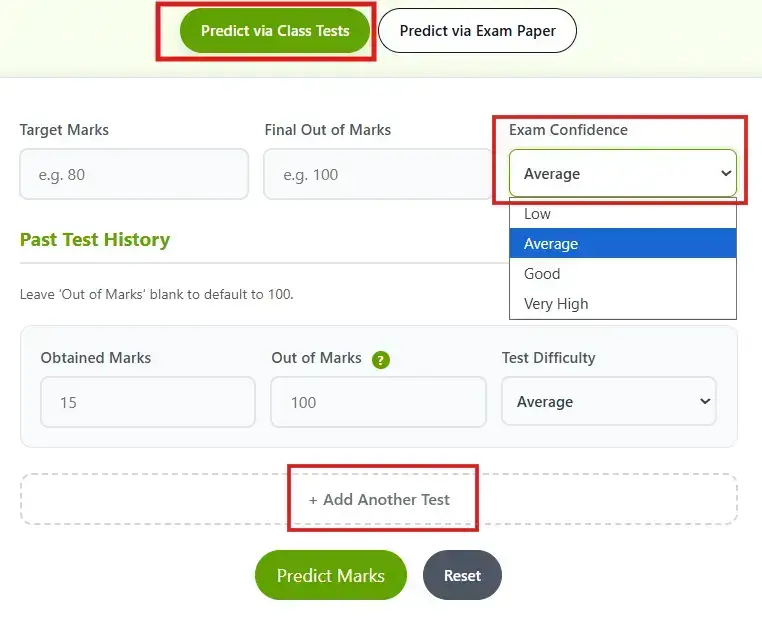
Now, enter your class test details one by one: marks obtained, out of marks, and test difficulty. If you want to add more than two tests, just click the “Add Another Test” button, and it will add another set of fields.
Use this calculator after attempting the exam. Because this tab calculator will take inputs related to your question paper and how you wrote your answer sheet. First of all, set your expected target
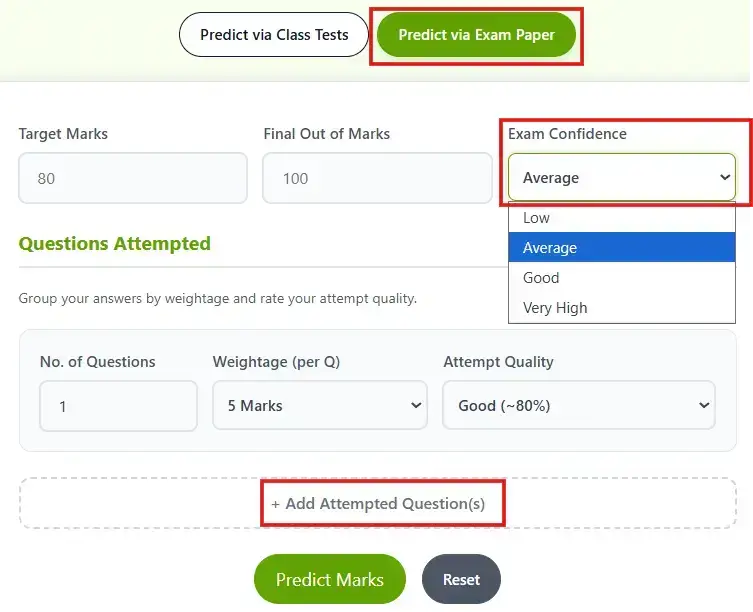
Now, enter your details one by one: number of questions, weightage per question (select or enter custom), and attempt quality (based on your exam performance). Use the “Add Attempted Question(s)” button to include more questions.
If you accidentally add extra questions or rows, use the cross icon to delete them. Once you’ve filled in all details, click the “Predict Marks” button to see your estimated score. To calculate again, simply click “Reset” and enter new details.
Note:- Rate the quality of your answers accurately. This calculator calculates your expected marks based on your answer sheet quality and confidence level.
Let’s say Rahul scored 72/100 and 65/100 in his two class tests, both on average difficulty. His target is 70 out of 100 in the final. He selects “Good” confidence. The marks predictor uses his test average and confidence level to estimate his final score around 68-74. Now he knows he is close to his target and can prepare accordingly.
High School & Board Students: This Marks Predictor is perfect for predicting school or board-level marks. Use the “Predict via Class Tests” method for class tests, or “Predict via Exam Paper” for board exams. Both options are ideal for school students.
College & University Students:During higher education, this tool is beneficial, especially during exams. From my own academic experience, I know the frustration of waiting 2-3 months for results after attempting the exam. This calculator helps students manage that uncertainty.
Competitive Exam Aspirants:Aspirants can use this tool to track their performance realistically. It shows expected scores based on the number of questions attempted and estimated accuracy, helping you identify your true potential.
No marks predictor can give you a guaranteed number. What it can do is give you a realistic range based on what you actually know about your performance.
The more honest your inputs, the closer the estimate. If you scored 60 and 65 in your last two tests but select “Very High” confidence, the tool will overestimate. Put in what actually happened and you will get a result you can trust.
Think of it less like a fortune teller and more like a well-informed guess from someone who has seen your entire semester.
This calculator provides realistic estimates based on your input data and exam confidence. No tool is 100% accurate, but honest input details about past tests or question attempts give you a very close expected range.
It makes predictions realistic. Low confidence = lower score (strict marking). Very High confidence = higher score (easy marking).
Yes, enter the passing marks in Target Marks. After filling in all the required details, click Predict Marks. It will also show the Target Status, so you can see exactly whether you are on track.
Absolutely. You can use both the Class Test Predictor and the Exam Paper Predictor as many times as you like, completely free of charge.
Yes. Use the “Predict via Exam Paper” tab. You just need to enter the number of questions you attempted, their weightage, and how well you think you answered each one. The marks predictor will estimate your score from that alone.
A marks predictor is a calculator that estimates your expected exam score based on your past test performance or the quality of your exam attempt. It does not guarantee your result but gives you a realistic range so you can plan your next steps.

Disclaimer: Our tool uses past data and trends, so it may be inaccurate. Always check with the official universities. If you find anything wrong, please report it immediately at [email protected], and we will update it as soon as possible.